
[rank_math_breadcrumb]
Schema is a vocabulary of tags (or code) you add to your website to help search engines better understand your content. It was created by Schema.org, a collaborative project by Google, Bing, Yahoo, and Yandex.
It does not change how your site looks, but it can improve how your content appears in search results (through rich snippets like star ratings, product info, event dates, etc.).
Using schema markup (also known as structured data) on your website helps search engines understand your content better, which can improve your visibility through rich results (like featured snippets, star ratings, event listings, etc.).
Step 1: Understand What Schema Markup Is
Schema.org provides a vocabulary of tags (or microdata) that you can add to your HTML to describe your content more effectively to search engines like Google, Bing, and Yahoo.
Common types include:
- Article
- Product
- Local Business
- Event
- Recipe
- FAQ
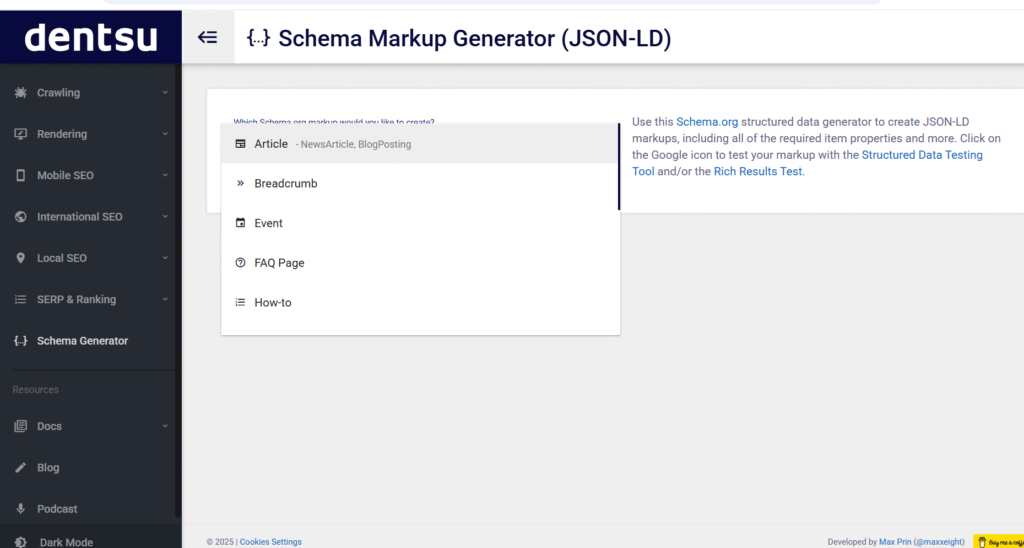
Step 2: Choose the Type That Matches Your Content
Identify which schema type best fits your content.
Examples:
- Blog post →
Article - Product page →
Product - Service business →
LocalBusiness - FAQ section →
FAQPage
Step 3: Choose a Format
You can implement using one of the following formats:
| Format | Description |
|---|---|
| JSON-LD | Recommended by Google; added in <script type="application/ld+json"> in <head> or <body> |
| Microdata | Embedded directly into HTML tags |
| RDFa | Similar to microdata; used in more complex cases |
Use JSON-LD
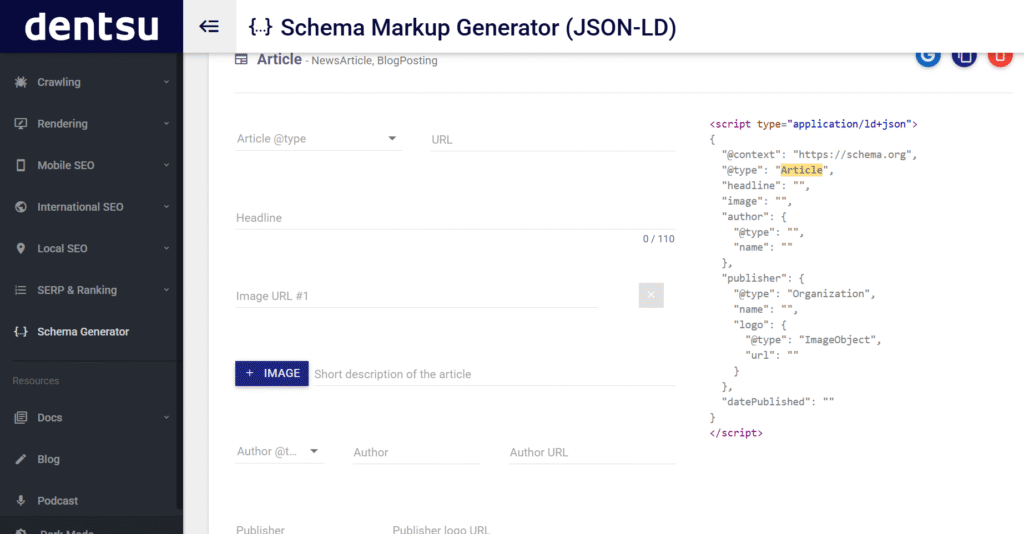
Step 4: Create Your Schema Markup
Use tools like:
Example for a blog post using JSON-LD:
htmlCopyEdit<script type="application/ld+json">
{
  "@context": "https://schema.org",
  "@type": "BlogPosting",
  "headline": "Step-by-Step Guide to Using Schema",
  "author": {
    "@type": "Person",
    "name": "Jane Doe"
  },
  "datePublished": "2025-05-16",
  "publisher": {
    "@type": "Organization",
    "name": "Your Company Name",
    "logo": {
      "@type": "ImageObject",
      "url": "https://example.com/logo.png"
    }
  },
  "description": "A detailed guide on how to use schema markup for your website."
}
</script>
Step 5: Add the Schema to Your Website
- In WordPress: Use SEO plugins like Yoast SEO, Rank Math, or All in One SEO — they offer built-in structured data support.
- Manually: Insert the JSON-LD code into the
<head>section or directly above the closing</body>tag of your HTML file.
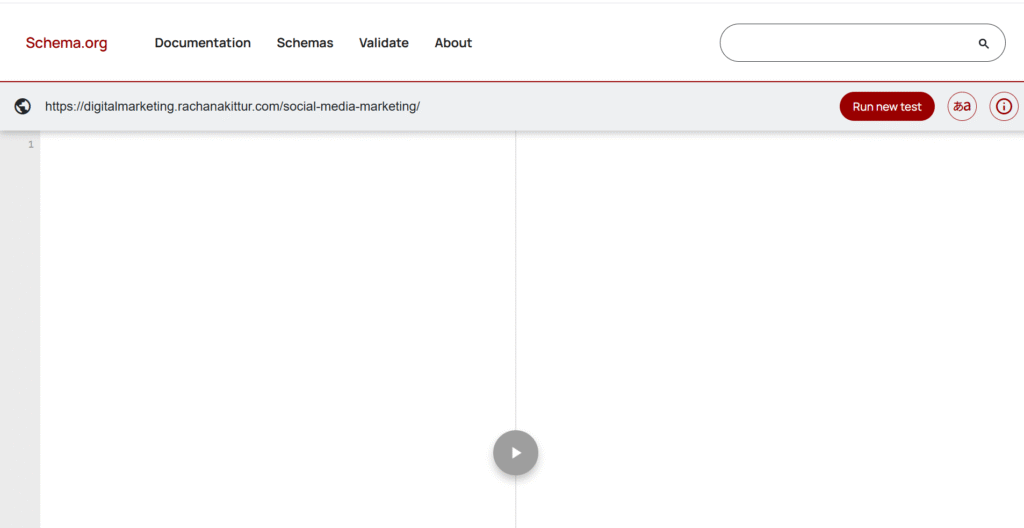
Step 6: Test Your Markup
Use these tools to validate schema
These tools show if your structured data is correctly implemented and whether it qualifies for rich results.
Step 7: Monitor Performance
After implementation of schema
- Check Google Search Console > Enhancements to see if Google detects your structured data.
- Monitor for errors or improvements in visibility over time.
Schema markup (structured data) has a wide range of uses that enhance your website’s visibility, help search engines understand your content, and improve search result presentation.
Here’s a breakdown of the main uses of schema:
1. Improved SEO and Rich Results
It helps your content qualify for rich results (a.k.a. rich snippets) in search engines — these are enhanced listings that show more than just a title and description.
Examples:
- Star ratings for product reviews
- Recipe cooking time and calorie info
- Event dates and locations
- FAQs directly in search results
- Breadcrumbs
2. Content Type Identification
It tells search engines what your content is — whether it’s a product, article, video, FAQ, recipe, job posting, etc.
This makes it easier for search engines to:
- Categorize your pages correctly
- Serve them in relevant searches
- Power voice assistants like Siri, Alexa, and Google Assistant
3. Local SEO Boost
Schema for LocalBusiness helps improve local search visibility.
You can include:
- Business name
- Address
- Phone number
- Opening hours
- Map location
- Reviews
4. E-commerce Enhancements
For online stores, It allows you to mark up:
- Product details
- Price
- Availability
- Brand
- Reviews & ratings
This helps your products appear in Google Shopping and product-rich results.
5. Structured Information for Articles & Blogs
For Article, BlogPosting, and NewsArticle helps Google:
- Display your content in Google News
- Show the author’s name, publish date, and article title more clearly
- Feature the article in “Top stories” carousels
6. FAQ & How-To Markup
Marking up FAQs and step-by-step guides allows Google to show them directly in results.
Benefits:
- Takes up more space on the search page
- Answers questions before users click — building trust
- Drives qualified traffic
7. Video & Audio Content
Use Video Object and Audio Object to:
- Help your multimedia content appear in video results
- Provide duration, transcript, thumbnail, and embed URL
8. Voice Search and AI Assistants
voice search tools and AI (like Google Assistant) understand your content better and surface the right answers.
Example: A properly marked-up FAQ can be read aloud by Google Assistant.
9. Better Indexing and Discovery
Even if your schema doesn’t produce a rich result, it still helps search engines crawl and index your site more intelligently.
For more information about digital marketing services https://digitalmarketing.rachanakittur.com/